ShelfLife
A library with a life of its own.
A social reading app that turns a reader’s library into a space they can arrange, personalize, and share.
I lead engineering, architecture and UI/UX at Fisherbird. I built and launched ShelfLife as its only engineer, from the shelf canvas to the apps and AWS backend.
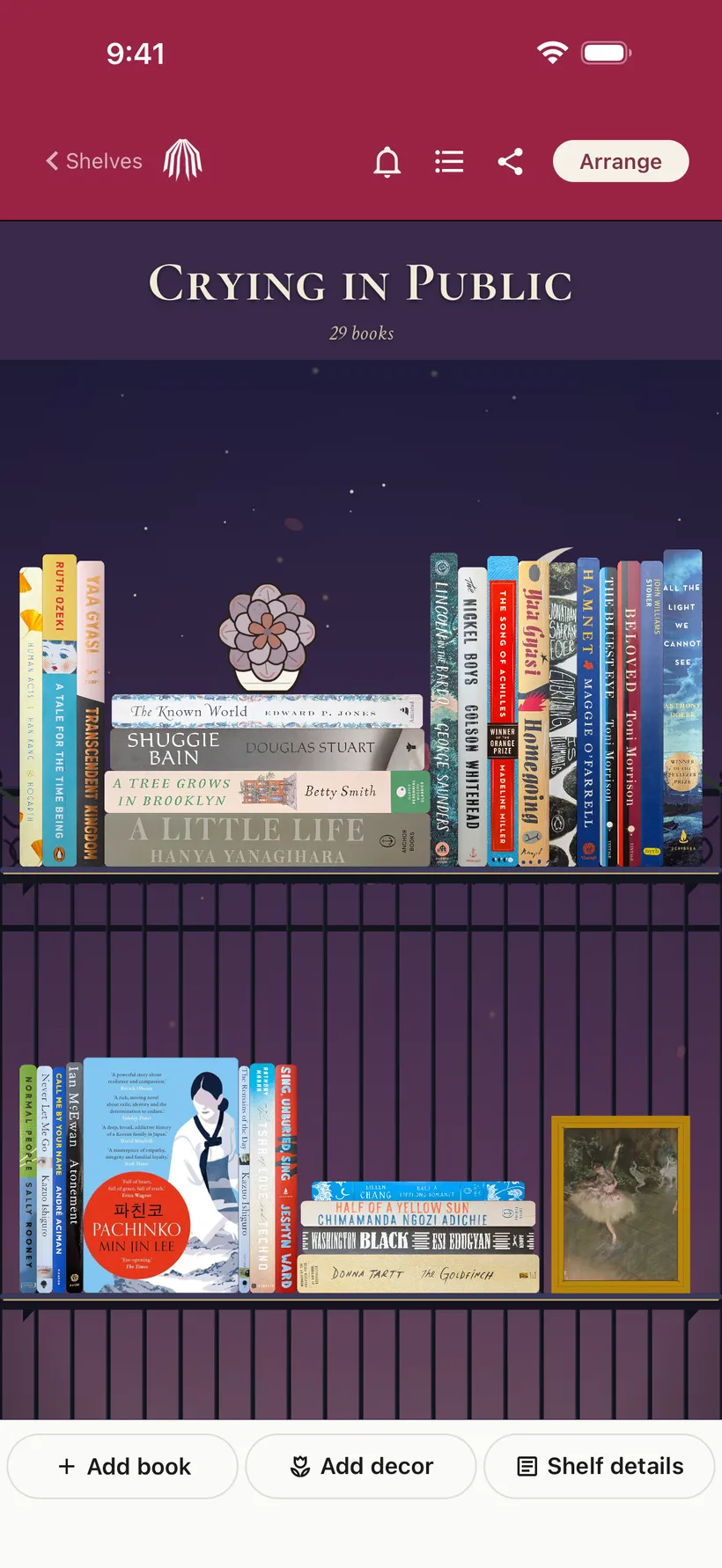
Select any screen to view it at full size.
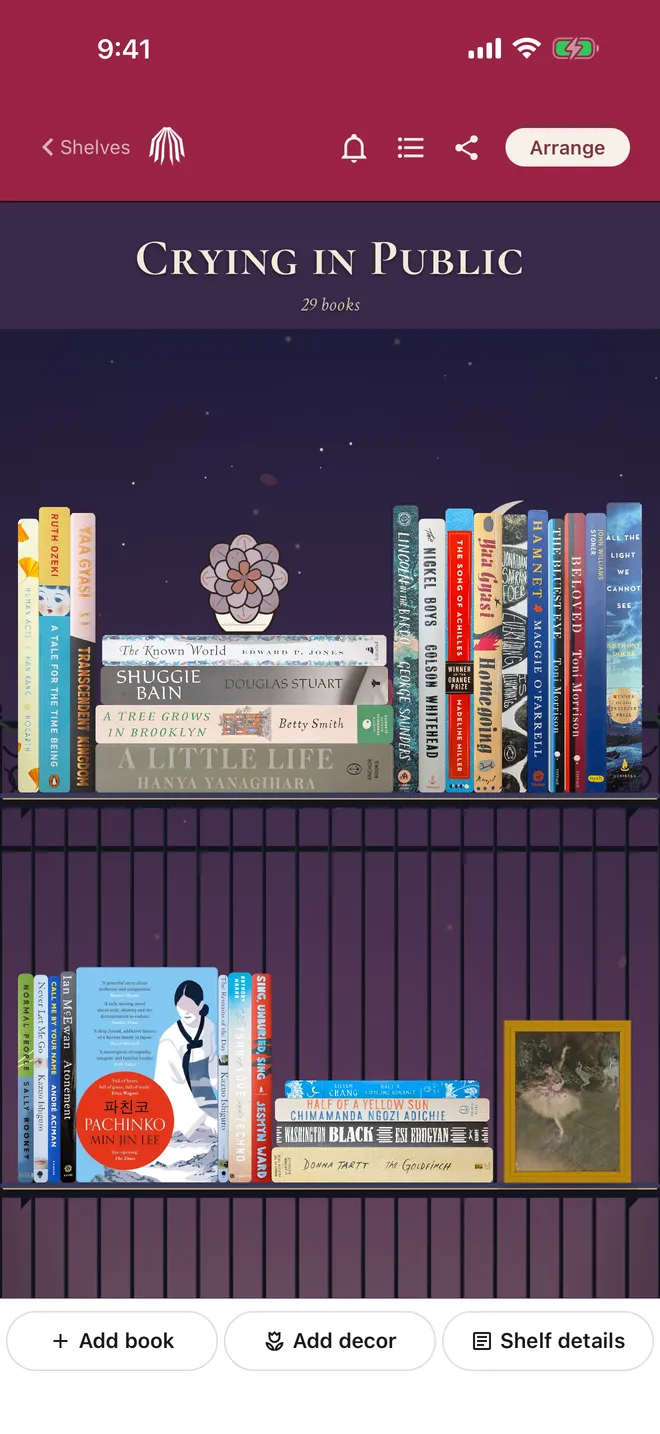
Make room for the way you read.
Books can stand as spines, face out, or lie flat in stacks. Readers drag them into place, add rows, and build shelves around a mood, a memory, or a collection.
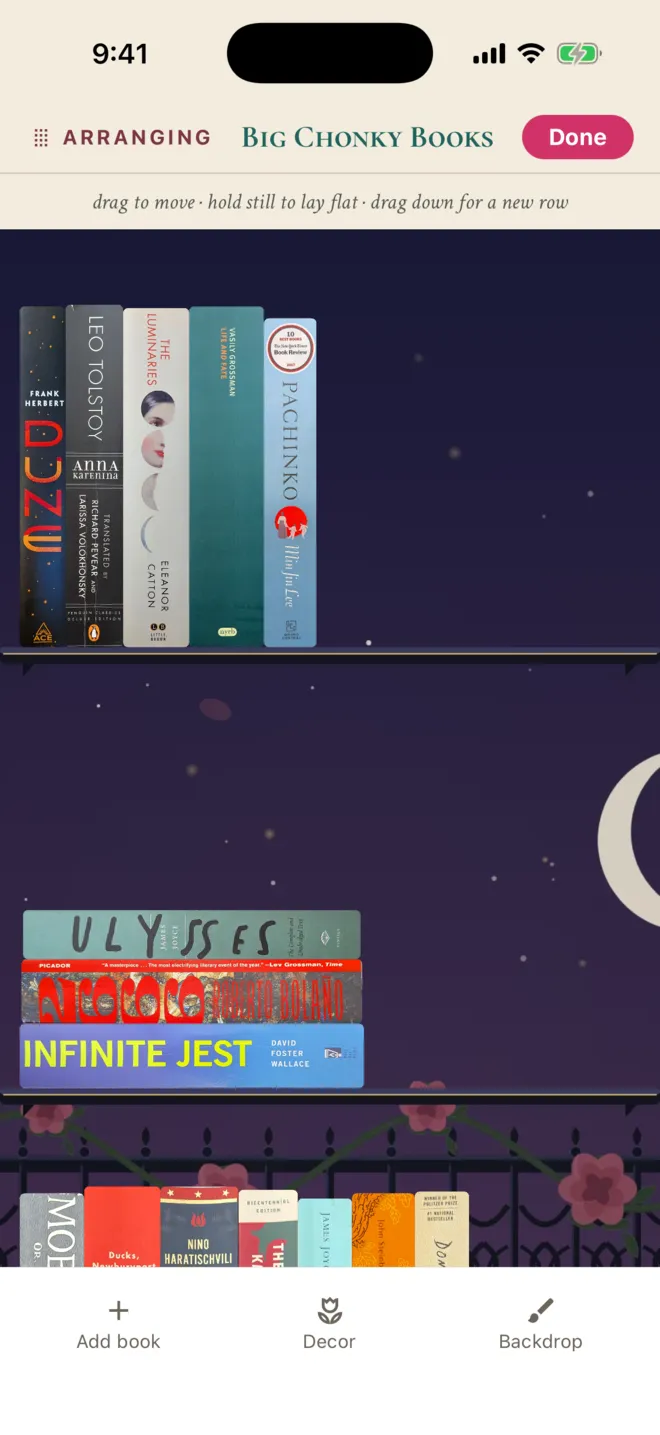
The interaction
An explicit Arrange mode keeps editing separate from browsing. Short gesture hints sit beside the canvas, and Done gives the interaction a clear finish.
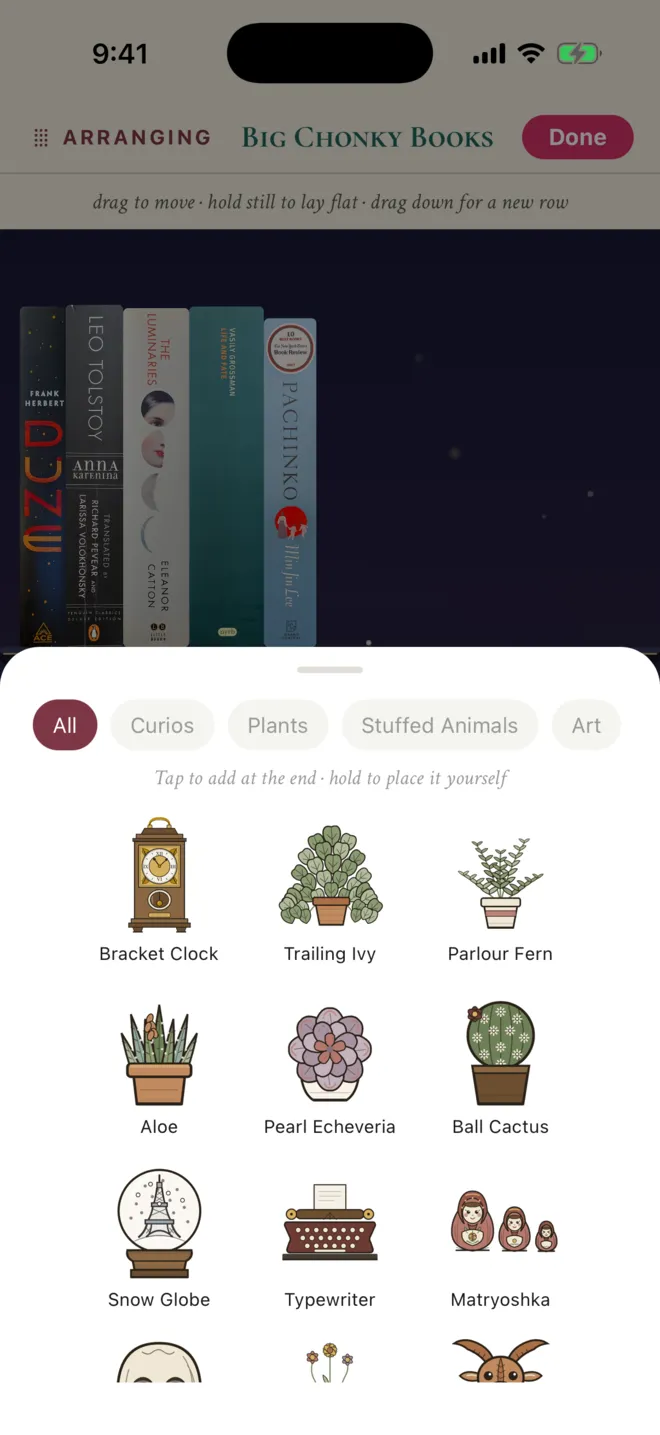
Keep the shelf in view while changing it.
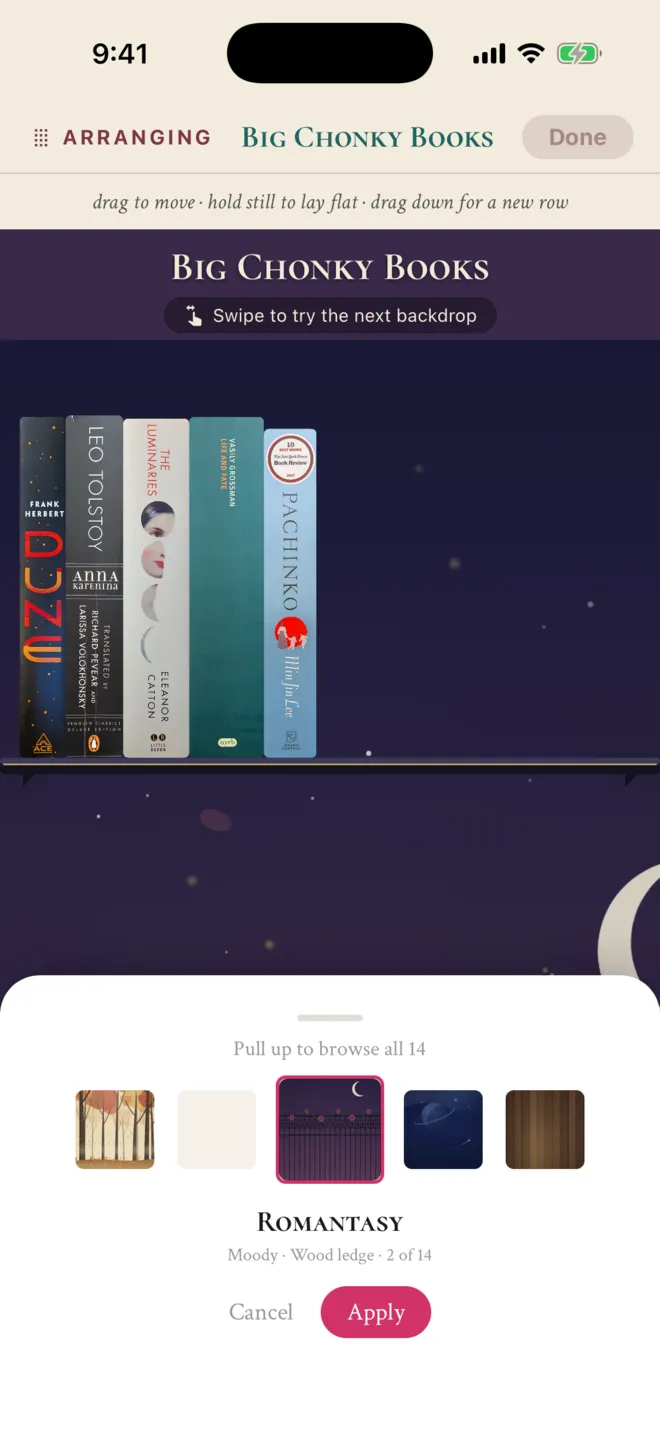
Backdrops and decor turn a shelf into a personal space. Readers can try a different room, browse plants and art, and place objects among their books.
The interaction
Bottom sheets keep the shelf visible behind the controls. Backdrop previews have Apply and Cancel actions; decor supports a quick tap or a deliberate hold to place.
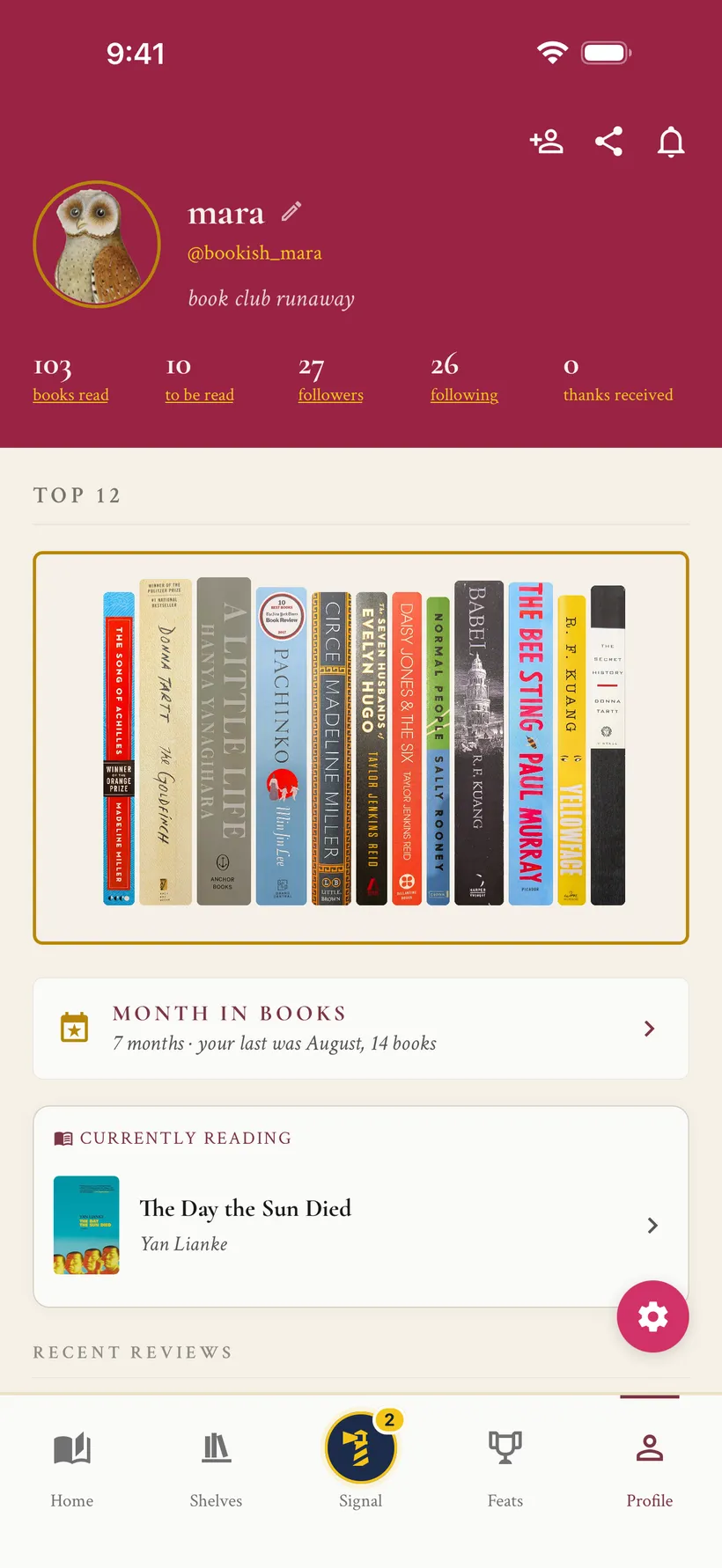
Let a bookshelf introduce its reader.
A Top 12 shelf puts favorite books at the center of a profile. Public shelves give readers another way to find people whose taste interests them.
The interaction
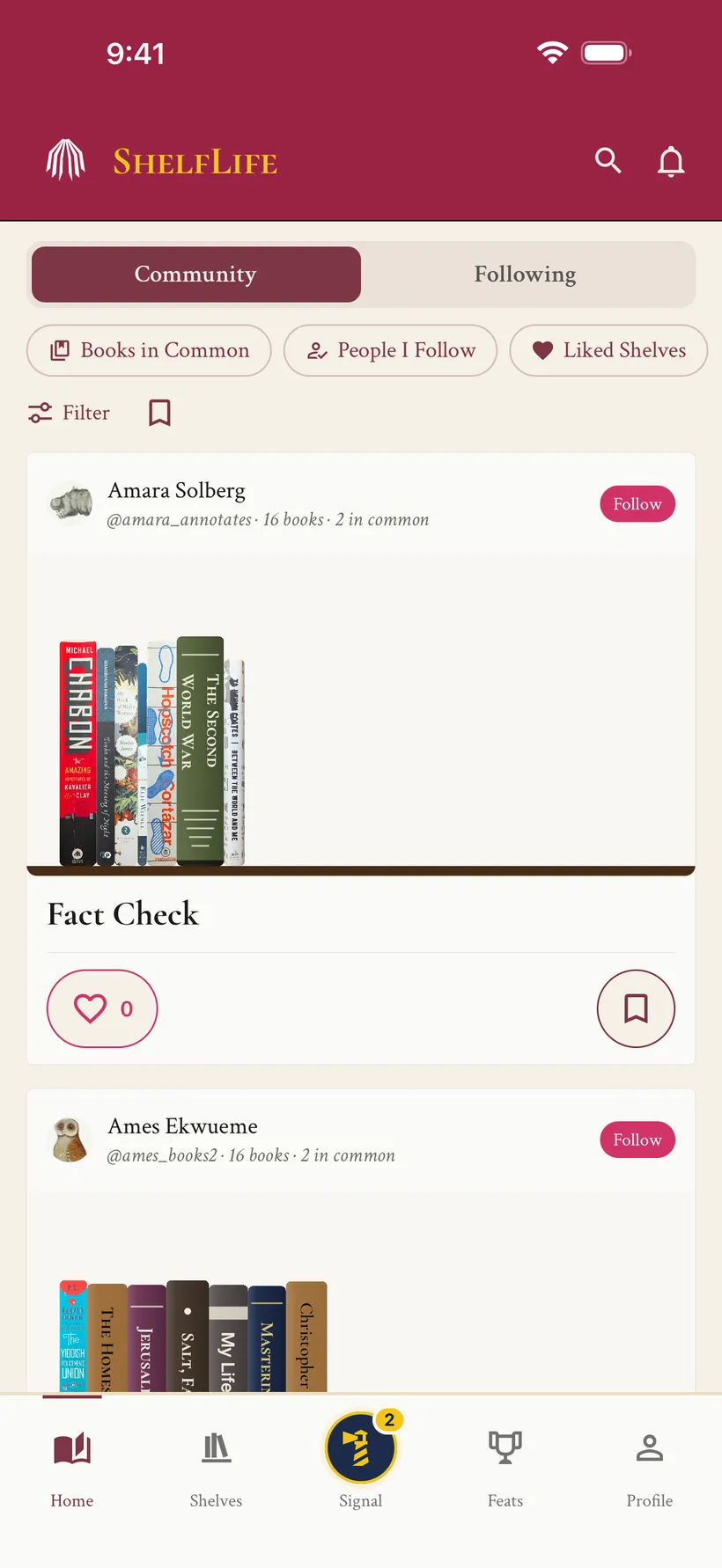
Discovery cards show the actual shelf, its owner, and books in common. Follow, like, and save sit beside that context, so readers can act on what caught their eye.
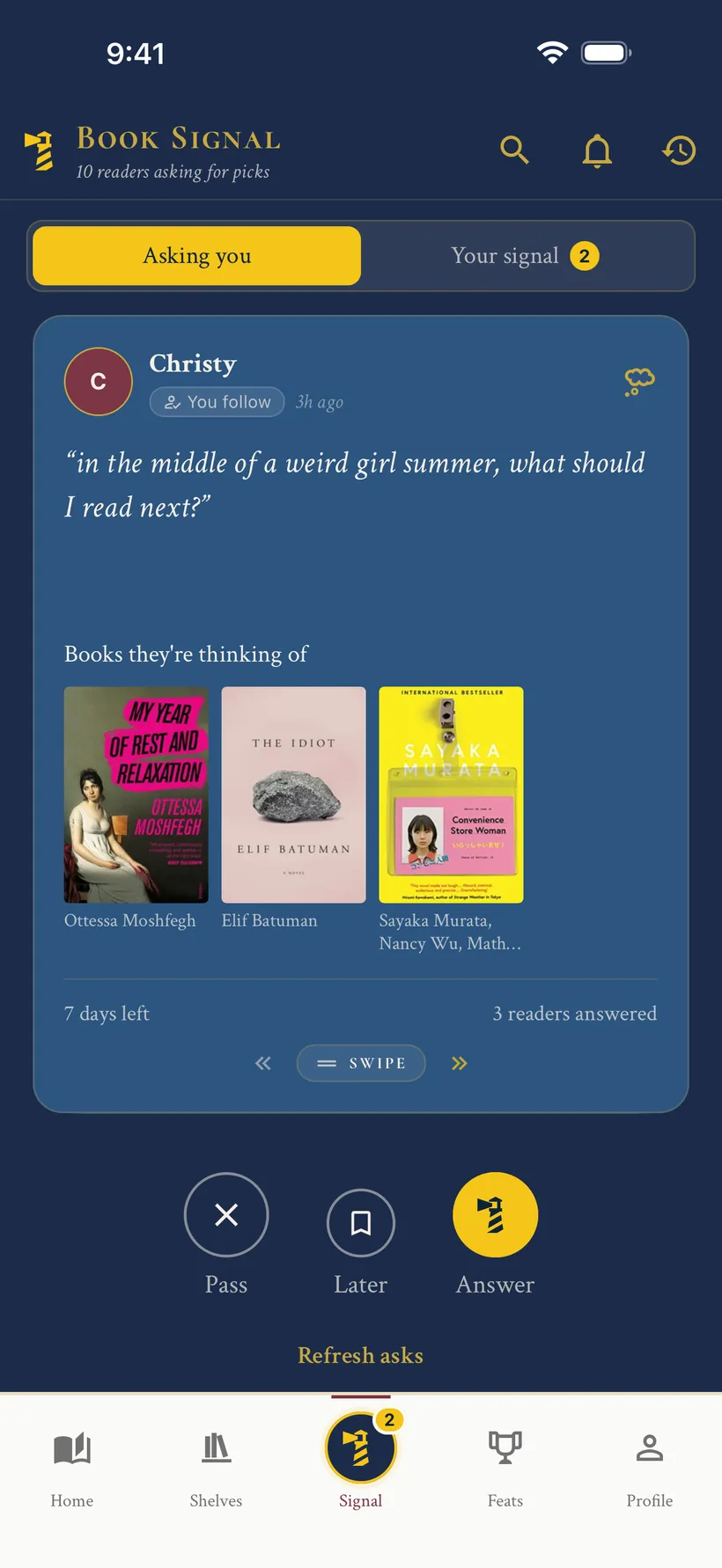
Ask for the book you cannot quite name.
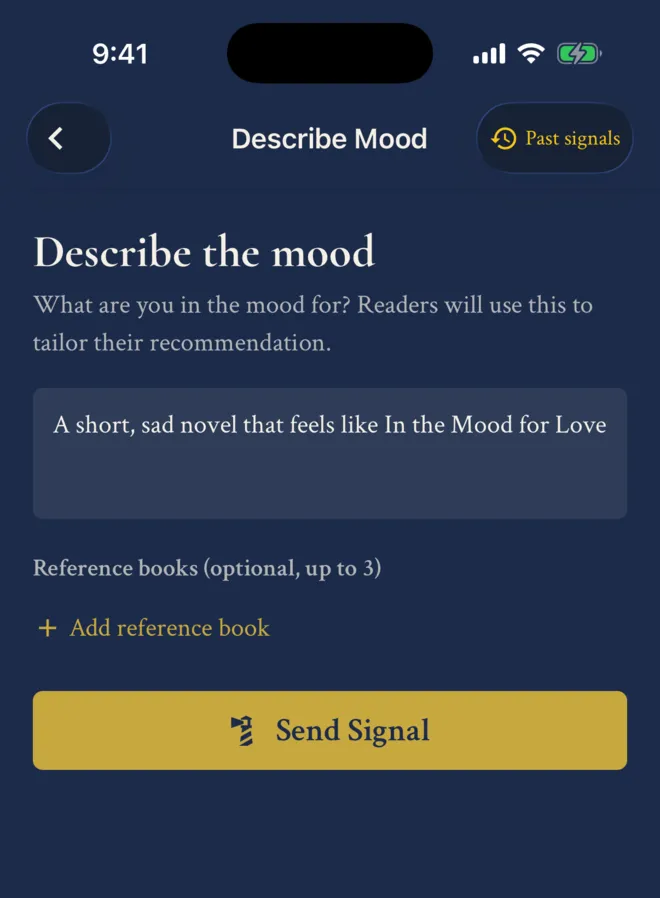
Book Signal lets readers describe a mood in their own words and add reference books. Other readers answer with a recommendation that fits the request.
The interaction
A short compose screen invites the request. In the hub, one card brings the mood and reference books together, with distinct actions to pass, save for later, or answer.
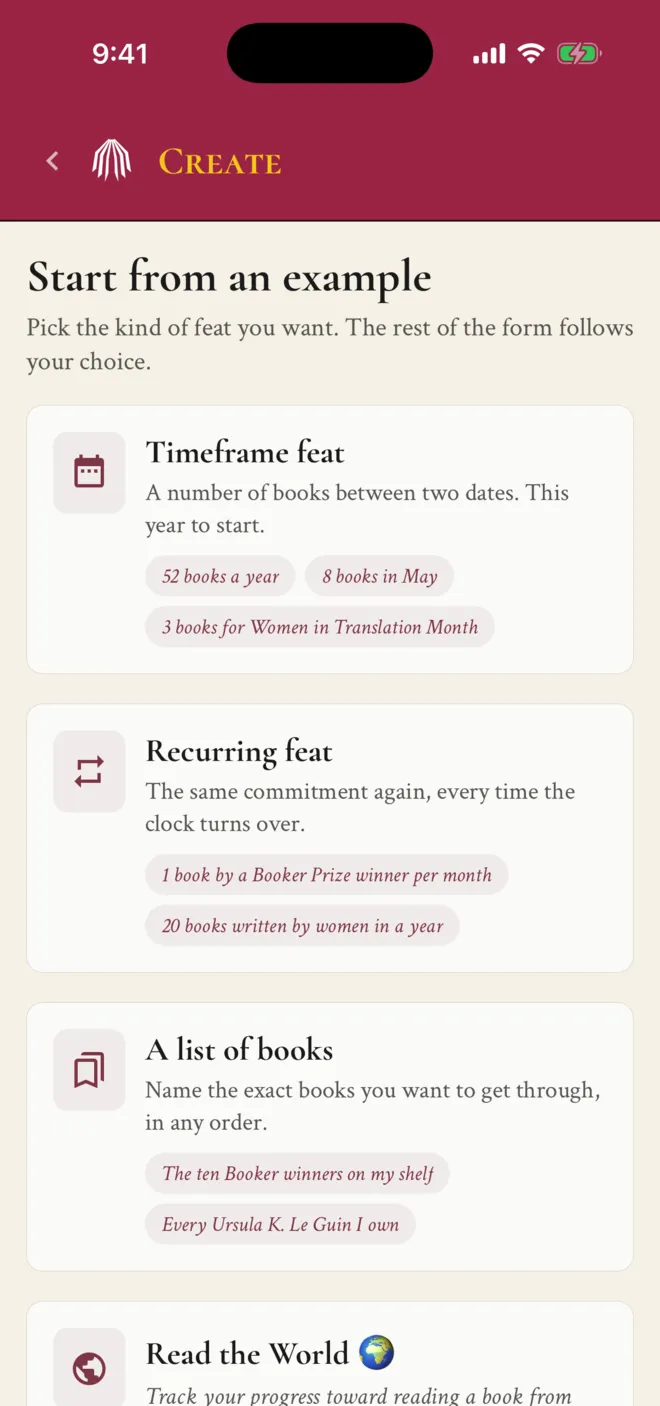
Give different goals their own shape.
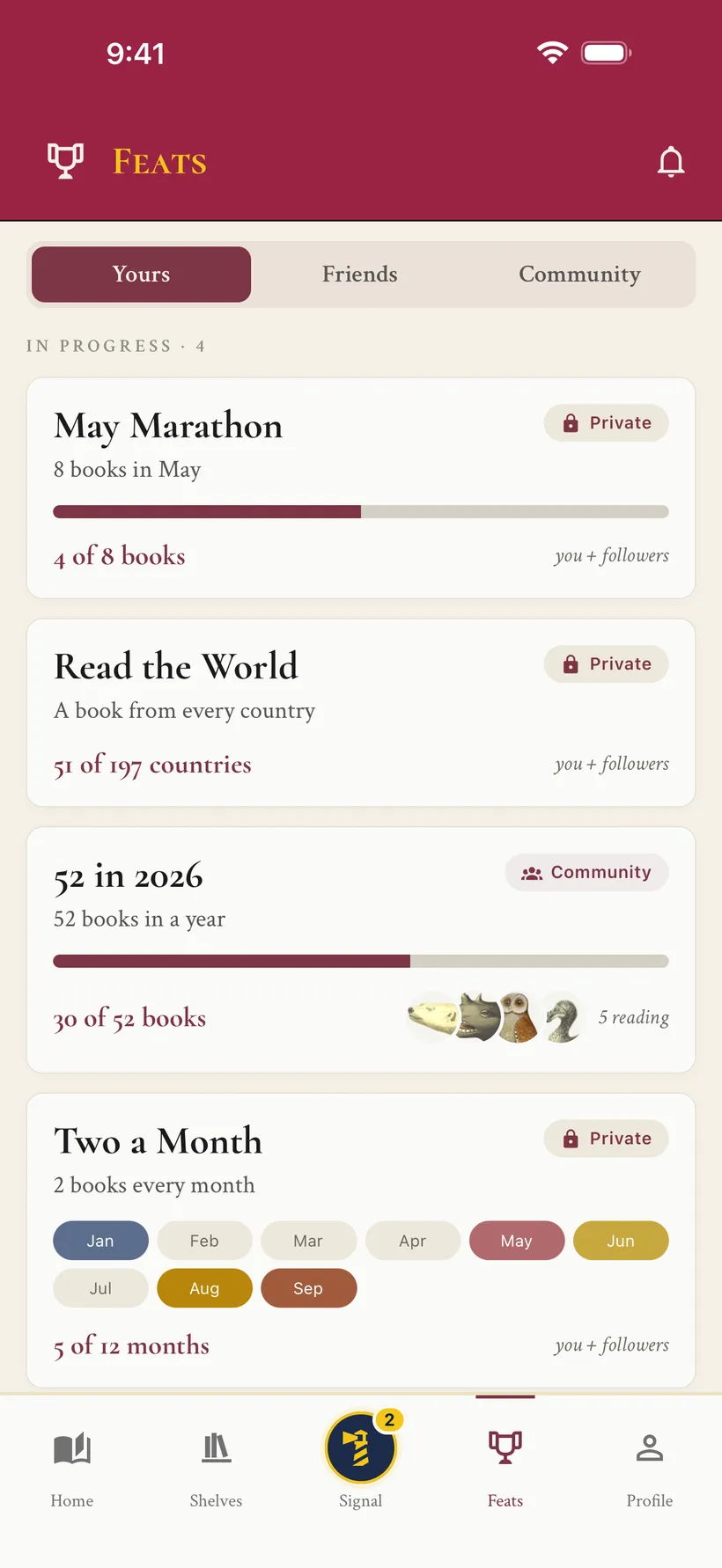
Feats can be a reading target between two dates, a recurring commitment, a particular list of books, or a book from every country.
The interaction
Examples help readers choose a goal before filling out a form. Progress uses the shape that fits: a bar for a count, periods for a recurring goal, and countries for Read the World.
The engineering behind the experience.
React Native and Expo on mobile, a React web client, and shared shelf-layout and export logic. The shelf canvas uses Skia on mobile; the backend runs on AWS Lambda and DynamoDB, with infrastructure defined in Pulumi.
Library imports, reading history, public shelves, recommendation requests, and app-store releases are all part of the same shipped product.
Explore the live product